
At its task limit, Zapier holds runs when you do not use pay-per-task billing. That can turn a Friday afternoon lead hand-off into a Monday morning clean-up. This is where Zapier alternatives become an operational question rather than a tool-shopping exercise.
The short version
- Zapier counts each successful standard action as one task, so volume can outgrow a workflow that still looks simple.
- Pay-per-task accounts receive notices at 80% and 100% of usage, then Zapier holds other tasks at three times the selected limit.
- Zapier hosts customer personal data in the United States and does not support EU-only data storage.
- Paths work well for bounded routing, but each path group allows up to 10 branches.
The issue grows because more EU businesses now connect cloud services. In 2025, 53% of EU enterprises used paid cloud services, while 20.0% of enterprises with 10 or more employees used AI technologies. Each new form, CRM update, support request or AI-assisted review creates another event that needs dependable handling.
You will be able to tell whether your first constraint is task exposure, data location, workflow shape or shared ownership, and decide whether a change is justified.
Zapier alternatives begin with the billing unit
The first thing that usually breaks is not the automation itself. It is the budget or the allowance behind it. A workflow can run quietly for months, then a campaign, busy hiring week or seasonal order spike pushes a familiar process past the plan limit.
Zapier measures a successful standard action as one task, while triggers consume none. Filters, Paths, Formatter, Delay, Looping and Sub-Zaps consume zero tasks. The event volume and successful action steps therefore determine exposure, so a short-looking workflow can carry significant usage when it handles every lead, order or application.
Start with a small worksheet: count the events in a normal month, list every successful standard action per event, then multiply those two figures. Include premium routing or AI steps separately, because Lead Router uses 5 tasks per step and Zapier's AI tiers use 1, 3 or 5 tasks per AI step or tool call.
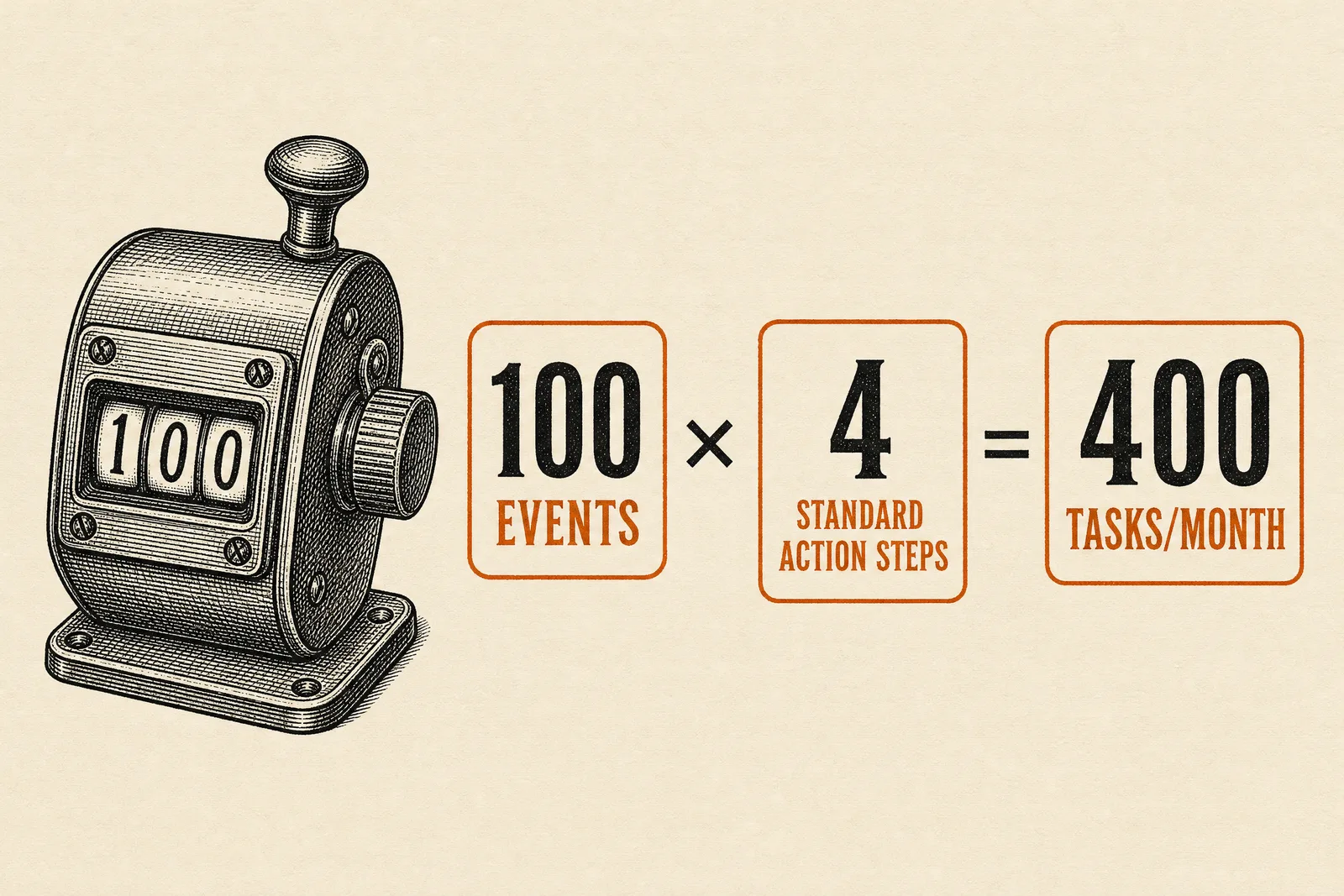
A workflow with 100 events and 4 standard action steps per event uses 400 tasks/month. Picture a recruiting firm receiving applications: create a candidate record, notify a recruiter, update a list and send an acknowledgement. The process is reasonable; its repeat rate is what changes the bill.
| Plan or model | Published allowance or starting price |
|---|---|
| Zapier Free | 100 tasks/month |
| Zapier Professional | starts from US$19.99/month |
| Zapier Team | starts from US$69/month |
| Make Core | US$12/month for 10,000 credits/month |
| n8n Cloud Starter | €20/month billed annually for 2,500 workflow executions |
This is why Zapier alternatives deserve comparison by billing unit, rather than by the lowest sticker price. Make charges credits for module actions, including searches, transformations and iteration. n8n defines an execution as a complete workflow run regardless of step count, so adding steps does not change the unit counted for that run.
For a broader tool-level view, read our n8n, Zapier and Make comparison for agencies. The useful question is not which platform wins in general. It is which unit your busiest process repeatedly creates.
Data residency can narrow the choice
A data-residency requirement is different from a preference for European customers or a vague wish to be compliant. It means your organisation has decided that specific operational data must remain in the EU. If applicant records, learner results or sensitive client notes sit inside the workflow, verify this requirement before rebuilding anything.
Zapier states that it hosts customer personal data and data processed for customers on AWS servers in the United States. Zapier also states that it does not support EU-only data storage. Those two statements make the platform a poor fit when EU-only storage is a firm requirement, regardless of how well the workflow performs.
GDPR Article 44 requires third-country transfers of personal data to comply with Chapter V safeguards. The EU-US Data Privacy Framework adequacy decision was adopted on 10 July 2023, and Zapier says it has certified under that framework. That can support some transfers, but it does not turn US hosting into EU-only storage.
The distinction matters in a real operations meeting. A consultancy may accept a lawful transfer mechanism for a marketing form, yet reject US-hosted processing for a client delivery workflow. That is a policy decision to document with the person responsible for data protection, not a setting an operations manager should guess.
For organisations that need location control, n8n states that its hosted plans store data in Frankfurt, Germany, and that self-hosted deployments store data where the customer chooses. Our guide to the self-hosted reality explains the operational commitment behind that choice.
When routing becomes a maze
Branching is useful when one intake needs different follow-ups. A marketing agency might send a qualified lead to sales, route an existing client to account management, and send an incomplete request back for more information. The difficulty starts when exceptions multiply and the team can no longer explain the route without opening the workflow.
Zapier Paths allow up to 10 branches in each path group and permit up to 3 nested Path steps. Zapier also limits a workflow to 100 total steps, including path steps. Common actions after a branch must be duplicated in each branch or moved into a Sub-Zap.
Zapier alternatives become relevant when the business process needs a decision model that will keep changing. Map the decisions on paper first: what decides the route, who owns each exception, and what happens when required data is missing. If the map already has many repeated end actions, rebuilding it as a cleaner process may matter more than adding another branch.
Paths run sequentially from left to right, one branch at a time. That detail can surprise an operator who assumes several qualifying routes will run together. Test the awkward cases before launch: a duplicate lead, a missing field, or a record that matches more than one rule.
A Zapier vs n8n or Make comparison only helps after you have drawn that decision map. A tool cannot remove an unresolved business rule. It can only make that rule harder or easier to maintain.
Shared ownership is the quieter warning sign
The quieter warning sign appears when one person becomes the only person who knows why a workflow exists. They remember the connected account, the exception added after a client complaint, and the spreadsheet used to check failures. Their holiday then becomes a process risk.
Zapier Free and Professional include 1 seat each. Zapier Team includes 25 users, shared Zaps, shared folders and shared app connections. Those features can solve a genuine collaboration problem without requiring a platform change.
Use a simple ownership test. Could a colleague find the workflow, understand its purpose, identify the connected accounts and safely handle a failed run? If the answer is no, write that documentation before you migrate. A new system without shared process ownership simply moves the dependency.
This is also a good time to review the process itself. Our guide to choosing the first process to automate helps separate a recurring, stable hand-off from a process that still changes every week. Zapier alternatives work best after that distinction is clear.
Where EsperaStudio fits
When task exposure, EU-only storage or a tangled route creates operational risk, a collection of small fixes can cost more attention than a proper diagnostic. Our first step is a EUR 500 automation audit, delivered as a written diagnostic rather than a sales call, and we credit that fee toward the build if you proceed.
We would trace one of your high-volume journeys from trigger to outcome, count where work repeats, identify the data that cannot leave the EU, and name the people who must own it. We run every system on infrastructure you own, hosted inside the EU, so your operational data never sits inside a third-party workflow tool and nothing is billed per task.
The result should be easy to judge: a process your team can explain, operate and change without fearing a hidden ceiling. Where the job needs full software rather than connected apps, we have built an AI-powered English language testing system for a language school as full-code software.
When switching is not worth it
Do not switch because a workflow has a few steps or because another platform looks more flexible in a demo. Zapier Free includes 100 tasks per month and allows Zaps with up to 2 steps. That can be enough for a low-volume internal notification or a small test where the consequence of a delay is limited.
Keep the current setup when volume stays predictable, the process has only a few stable routes, US processing meets your documented data requirements, and a named owner can support it. In that situation, migration adds work without removing a meaningful constraint.
Also pause when the underlying process changes weekly. Fix the intake fields, ownership rules or approval policy first. A clean workflow cannot compensate for a team that has not agreed what should happen next.
Frequently asked questions
How does Zapier work?
Zapier starts a workflow from a trigger, then performs actions in connected apps. Each successful standard action counts as 1 task, while triggers do not consume tasks. This means the cost pressure comes from the successful work performed after each event, especially when a process repeats at high volume.
Is Zapier free for a small business?
Zapier Free includes 100 tasks per month and supports Zaps with up to 2 steps. It can suit a narrow, low-volume process such as an internal alert. Review the number of monthly events and action steps before treating the free plan as a permanent operating model.
What are practical Zapier competitors for a growing team?
Make, n8n and Zapier use different billing units and require different levels of operational involvement. Make's published Core plan costs US$12/month for 10,000 credits/month. n8n Cloud Starter costs €20/month billed annually for 2,500 workflow executions. Compare those units against one real workflow, not a generic feature list.
When should I look for Zapier alternatives?
Look when task limits can hold customer work, EU-only storage is required, routes exceed bounded branching, or workflow knowledge sits with one person. Start with the process that creates the most repeated events or carries the greatest operational consequence when it stops.
Sources
- How task usage is measured in Zapier — Zapier
- Zapier Tasks Explained: Plans, Limits, Zaps, MCP & More — Zapier
- Data Privacy Overview — Zapier
- Add branching logic to Zap workflows with Paths — Zapier
- 53% EU enterprises used paid cloud services in 2025 — Eurostat
- 20% of EU enterprises use AI technologies — Eurostat
- Plans & Pricing — Zapier
- Make pricing — Make
- n8n pricing — n8n
- Regulation - 2016/679 - EN - gdpr - EUR-Lex — European Union
- Information note on the EU-US Data Privacy Framework adequacy decision — European Data Protection Board